
Samsung Charging Port Repairs: How Technicians Diagnose the Real Fault?
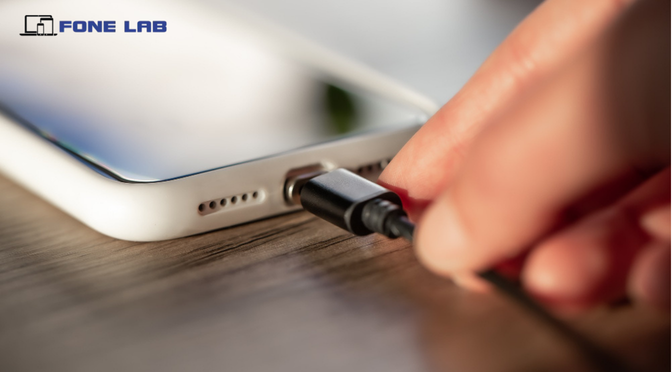
When a Samsung Galaxy stops charging, charges intermittently or becomes noticeably slower, the USB-C port is often the first component people suspect. However, a charging fault does not necessarily mean the port itself needs replacing. The underlying cause could be compacted debris, a damaged cable, moisture, worn contacts, a faulty charging board, battery problem or an issue within the phone’s charging circuitry. A professional diagnosis helps identify the actual fault before any repair is recommended.
For customers seeking Samsung phone repairs in Bradbury, the diagnostic process generally begins with understanding the symptoms. A technician may ask whether the phone charges only when the cable is held at a particular angle, whether fast charging has stopped, whether the device recently suffered a drop or liquid exposure, or whether a different charger has been tested. These details can help narrow down the likely cause.
Inspecting the USB-C Charging Port
The first physical check is usually the charging port itself. Pocket lint, dust and other debris can become compressed inside the USB-C socket and prevent the cable from making proper contact. Samsung Australia identifies debris, damaged or corroded ports and cables as potential causes of slow charging, intermittent connections and heat generation.
Technicians can inspect the port under suitable lighting or magnification to identify bent contacts, corrosion, physical deformation or foreign material. This is particularly relevant during Samsung charging port repairs in Bradbury, because replacing a port unnecessarily can add cost when the underlying issue is simply contamination or an accessory fault.
Testing the Charger and Cable
A charging diagnosis should not stop at the phone. A damaged or incompatible USB-C cable or power adapter can produce symptoms that closely resemble a faulty charging port. Samsung recommends testing with approved or compatible charging accessories because poor-quality or damaged accessories can result in slow charging or intermittent disconnection.
A technician may therefore test the Galaxy with a known-good cable and compatible charger before moving towards internal repair. This process helps separate an external accessory problem from a genuine device fault.
Checking Charging Behaviour
The next stage involves observing how the Samsung responds when connected to power. Does it recognise the charger? Does the charging icon appear? Does the current remain stable? Does charging stop when the cable moves? Is fast charging available?
These observations can help determine whether the problem is related to the physical connector, charging negotiation, battery or internal circuitry. Samsung also provides battery and charging diagnostics through Samsung Members on supported Galaxy devices, including checks for cable charging and battery status.
For Samsung charging port repairs in Leumeah, this systematic testing can be especially useful when a device appears to charge but does so inconsistently or much more slowly than expected.
Checking for Moisture and Corrosion
Moisture is another important consideration. Samsung Galaxy devices can restrict charging when moisture is detected in the USB-C port to help prevent damage. A phone may therefore refuse wired charging even when the visible amount of moisture appears minimal.
If liquid exposure is suspected, technicians can inspect the port and surrounding charging components for corrosion or other signs of damage. Continued charging problems after the device has dried may indicate a hardware issue requiring further assessment.
Port, Sub-Board or Charging Circuit?
If external causes have been ruled out, the technician can determine whether the fault is isolated to the USB-C connector or involves the charging assembly and associated circuitry. Some Galaxy models use a dedicated charging sub-board, while others have different internal configurations, so the appropriate repair depends on the exact model.
For Samsung charging port repairs in Woodbine, accurate fault isolation is therefore more valuable than simply replacing the first component that appears damaged. A professional diagnosis can help determine whether cleaning, port replacement, charging-board repair or deeper component-level work is appropriate.
Ultimately, proper Samsung charging diagnosis follows a logical process: inspect, test, isolate and then repair. This approach helps avoid unnecessary component replacement and gives Galaxy users a clearer understanding of what has actually failed. If your Samsung is charging slowly, disconnecting repeatedly, refusing to fast charge or not recognising the charger, professional diagnosis can identify the real cause before repair work begins.
Get the Real Charging Fault Diagnosed
A Samsung charging problem is not always caused by the USB-C port itself. Accurate testing can identify whether the issue involves debris, cable damage, moisture, worn contacts, the charging board or internal circuitry. If your Galaxy is charging slowly, disconnecting, overheating or refusing to charge, Fone Lab can help diagnose the underlying fault and recommend the appropriate repair. Call 0424 009 009 to speak with the Fone Lab team and arrange professional Samsung charging assistance.
FAQs
Does a Samsung phone not charging always mean the charging port is faulty?
No. A Samsung Galaxy that will not charge may have a damaged cable or adapter, compacted debris, moisture, battery problems, charging-board faults or other internal electrical issues. Diagnosis helps identify the correct cause before parts are replaced.
Why does my Samsung Galaxy only charge when the cable is held at an angle?
This can indicate worn or damaged USB-C contacts, debris inside the port or a loose physical connection. However, cable damage can produce similar symptoms, so technicians normally test with a known-good compatible cable before confirming a port fault.
Can debris inside a Samsung charging port cause charging failure?
Yes. Pocket lint, dust and other debris can prevent the USB-C plug from making proper contact. Professional inspection can determine whether contamination is responsible and whether the port can be safely cleaned rather than replaced.
How can technicians tell whether the cable or Samsung phone is causing the problem?
They can test the phone using a known-good, compatible cable and charger. If the Galaxy behaves normally with the replacement accessories, the original cable or adapter may be responsible. Further device testing is required if the problem continues.
What does it mean if my Samsung charges but does not fast charge?
Possible causes include an incompatible charger or cable, charging settings, device temperature, USB-C contact problems or an issue with charging negotiation or internal circuitry. A technician can test the charging behaviour to narrow down the cause.
Can moisture damage cause a Samsung charging port to stop working?
Yes. Samsung Galaxy devices can restrict wired charging when moisture is detected in the USB-C port. Liquid exposure can also result in corrosion that continues affecting the port or charging circuitry after the visible moisture has disappeared.
Can a technician repair a Samsung charging port without replacing the entire phone?
In many cases, yes. Depending on the Galaxy model and fault, the appropriate repair may involve cleaning, USB-C port replacement, charging sub-board replacement or component-level repair. The exact solution depends on the device's internal design and damage.
Why is professional diagnosis important for Samsung Charging Port Repairs?
Professional diagnosis prevents unnecessary part replacement. A technician can determine whether the problem originates from the port, cable, battery, charging board or another circuit and recommend a repair based on the evidence.
When should I seek professional Samsung charging port repair?
Consider professional assessment if your Samsung repeatedly disconnects while charging, charges only at certain angles, becomes unusually hot, refuses to fast charge, displays moisture warnings that persist or does not recognise compatible charging accessories.
